How to decode a JWT safely
Decode JWT header and payload claims locally, tell inspection from verification, and keep bearer tokens out of websites, screenshots, logs and tickets.
Updated . How guides are checked
Primary sources checked
Decode a JWT only in a trusted local tool and treat the result as unverified text. Never paste a live bearer token into a third-party decoder, ticket, chat, or screenshot. Production authorization must verify the signature, allowed algorithm, issuer, audience, timing claims, token type, and application rules with trusted keys.
A JWT is often readable and still untrustworthy
A common JSON Web Token contains three dot-separated Base64url sections: a JOSE header, a payload of claims, and a signature. Base64url is an encoding, not encryption. Anyone holding an ordinary signed JWT can usually decode the first two sections and read their JSON.
Reading is not proving. An attacker can create a new header and payload containing any role, subject, expiry, or issuer they want. Those values become trustworthy only after a verifier checks the signature with the correct trusted key and applies the rules for that token type.
RFC 7519 defines JWT claims and processing. RFC 8725 updates it with best current practices based on real implementation failures, including algorithm confusion, weak validation, substitution between token types, and trusting received claims too early.
How to inspect a JWT without sending it away
- Prefer a synthetic or already-revoked token when reproducing a parsing problem.
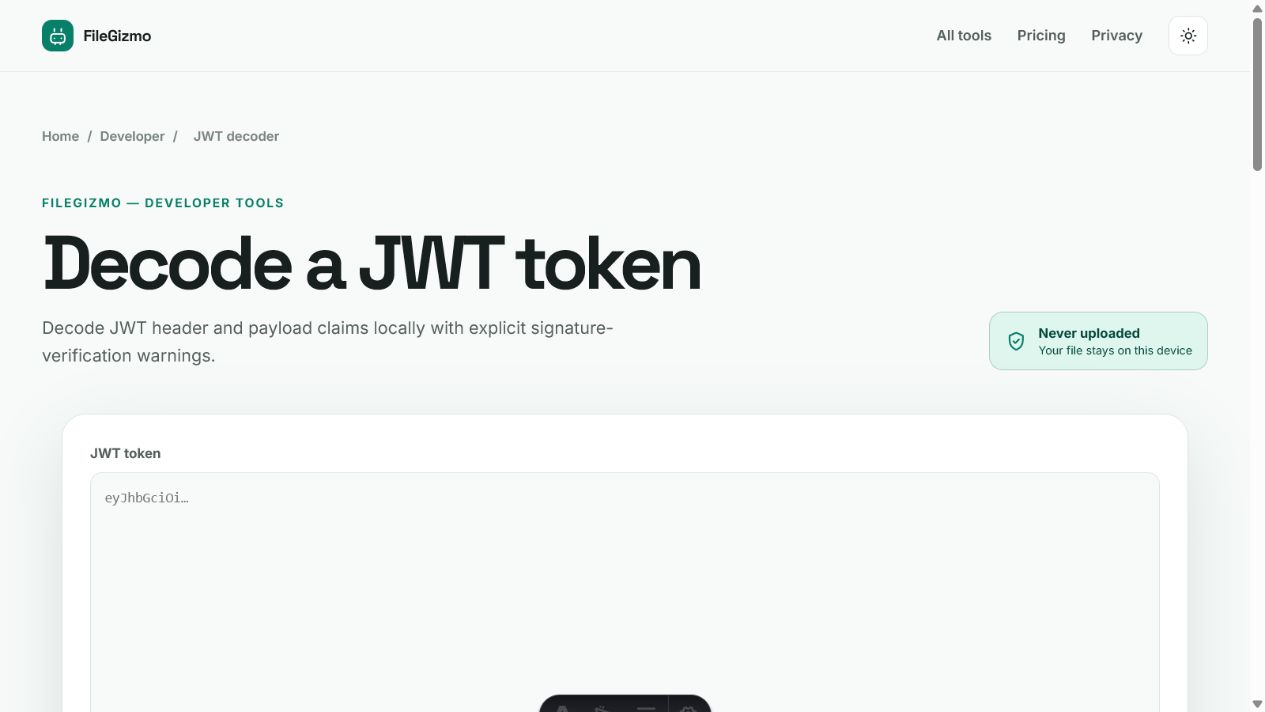
- Open JWT Decoder and paste the three-part token.
- Decode the header and payload locally, then read the unverified warning.
- Inspect relevant claims without copying the token into screenshots or tickets.
- Clear the page and rotate the credential if a live token was exposed anywhere unintended.
FileGizmo performs Base64url decoding in the page. It does not upload or store the token. The tool shows readable JSON, retains the signature text for inspection, and compares a numeric exp claim with the current device time. It does not have your issuer’s trusted keys and cannot authenticate the token.
If only the JSON formatting is difficult, copy a redacted claim object into JSON Formatter, never the credential. Replace subjects, email addresses, tenant IDs, session IDs, and private custom claims with obvious placeholders. To see which claims differ between a token that works and one that does not, paste both redacted payloads into JSON diff, which lists each changed claim by name.
Treat bearer tokens like passwords
Many access tokens are bearer credentials: possession is enough to present them to an API. Pasting one into a third-party site can disclose it through request bodies, analytics, logs, browser history, extensions, crash reports, clipboard managers, or screenshots. Even a short-lived token can be valuable during its lifetime, and a refresh token may last much longer.
Do not put live JWTs in public issue trackers, chat channels, CI logs, observability events, query strings, sample repositories, or screen recordings. Redacting only the signature is insufficient because the remaining token may expose personal or operational information, and a signed payload can still identify users or systems.
When accidental exposure occurs, assume the token was copied. Revoke or rotate it using the issuer’s incident procedure, invalidate the associated session when appropriate, and inspect relevant access logs. Deleting the message later does not prove that every copy disappeared.
Read the header as input, not policy
The alg header says which algorithm the token claims to use. It must not decide policy by itself. RFC 8725 says libraries must allow callers to specify supported algorithms and must reject other algorithms. A verifier should bind each key to the expected algorithm and token context.
An attacker-controlled token can claim alg: none or substitute an algorithm. A decoder should display that value because it helps diagnosis, but a production verifier must compare it with an allowlist configured by the application. Do not accept a token merely because a library returned parsed claims.
The typ and cty headers can help distinguish token forms, especially nested or application-specific tokens. RFC 8725 recommends explicit typing and mutually exclusive validation rules where different JWT kinds could otherwise be confused. An ID token, access token, email-action token, and internal session token should not share one vague acceptance path.
Validate claims in their actual context
iss identifies the claimed issuer, aud the intended audience, sub the subject, exp the expiry time, and nbf a time before which the token should not be accepted. iat records issuance time, while jti can provide a token identifier. Custom claims may describe scopes, roles, tenant context, or application state.
Each value needs a rule. The verifier must obtain keys from the trusted issuer, validate the signature, require the expected issuer, check that the service is an intended audience, apply sensible clock skew to timing claims, and confirm token type and application-specific constraints. RFC 8725 explicitly warns not to trust received claims before validation.
A decoder can label a token expired according to the local device clock, but that is a debugging convenience. It does not validate signature, time source, audience, revocation, session state, or authorization. A token that has not expired can still be invalid; an expired token’s contents can still be useful evidence during debugging but must not authorize a request.
Know whether confidentiality exists
A signed JWT, commonly represented as JWS, provides integrity and authenticity only after successful verification. It does not hide the payload. RFC 7519 notes that JWTs can contain privacy-sensitive information and recommends preventing unintended disclosure, including by using encryption or authenticated protected transport and minimizing sensitive claims.
An encrypted JWT uses JWE and has different structure and processing. Do not infer encryption from opaque-looking Base64url text. Do not place secrets, passwords, unnecessary personal data, or full authorization context in a readable token merely because HTTPS normally protects it in transit. Tokens leak into places beyond the intended transport.
Build a safer debugging routine
Use the network inspection method in are online file converters safe? when evaluating any browser utility that handles credentials or private data. The CSV vs JSON vs Excel guide explains why a parsed JSON value still needs an agreed receiving contract. For a broader comparison of local and server-backed tools, see TinyWow without ads and captchas.
Reproduce with a synthetic token signed by a development key. Keep development and production issuers, keys, audiences, and data separate. Log a short fingerprint or jti when correlation is required, not the full bearer value. Configure log scrubbers and test them with token-shaped fixtures.
When reporting a bug, include the expected issuer, algorithm family, claim names, validation error category, and redacted timestamps. Show JSON with placeholders. If exact encoded bytes matter, create a new harmless fixture that preserves the parsing edge case.
The rule is simple: local decoding helps a developer understand structure. Only the application’s trusted verification path can decide authenticity and authorization. Keeping those two jobs visibly separate prevents a convenient debugging action from becoming a security decision.
Tools for this guide
Frequently asked questions
Is it safe to decode a JWT online?
A live bearer token may grant access, so avoid sending it to an unknown service. Use a local decoder, a synthetic token, or approved development tooling and rotate any credential exposed accidentally.
Does decoding a JWT verify its signature?
No. Base64url decoding only reveals header and payload text. Verification requires trusted keys, an explicitly allowed algorithm, and validation of the relevant claims and token context.
Are JWT payloads encrypted?
Not necessarily. A common signed JWT is readable by anyone who has the token. Encryption requires JWE or another protected transport and must not be assumed from the three-part appearance.
What should I check after decoding a JWT?
Inspect alg and typ cautiously, then review iss, aud, sub, exp, nbf, iat, jti, scopes, and application claims. Do not trust any value until cryptographic and contextual validation succeeds.