Primary sources checked 24 July 2026
iLovePDF alternatives that do not upload your files
Compare iLovePDF with browser-local and offline PDF alternatives using current privacy policies, product limits, platform support, and primary sources.
Reviewed and updated
The honest fastest answer
If you use Windows and want a full desktop PDF suite, start with PDF24 Creator. Its official product page says it works offline, keeps files on the PC, has no artificial usage limits, and is free for private and commercial use. It covers more specialist PDF jobs than FileGizmo today. The tradeoff is simple: it requires a Windows installation.
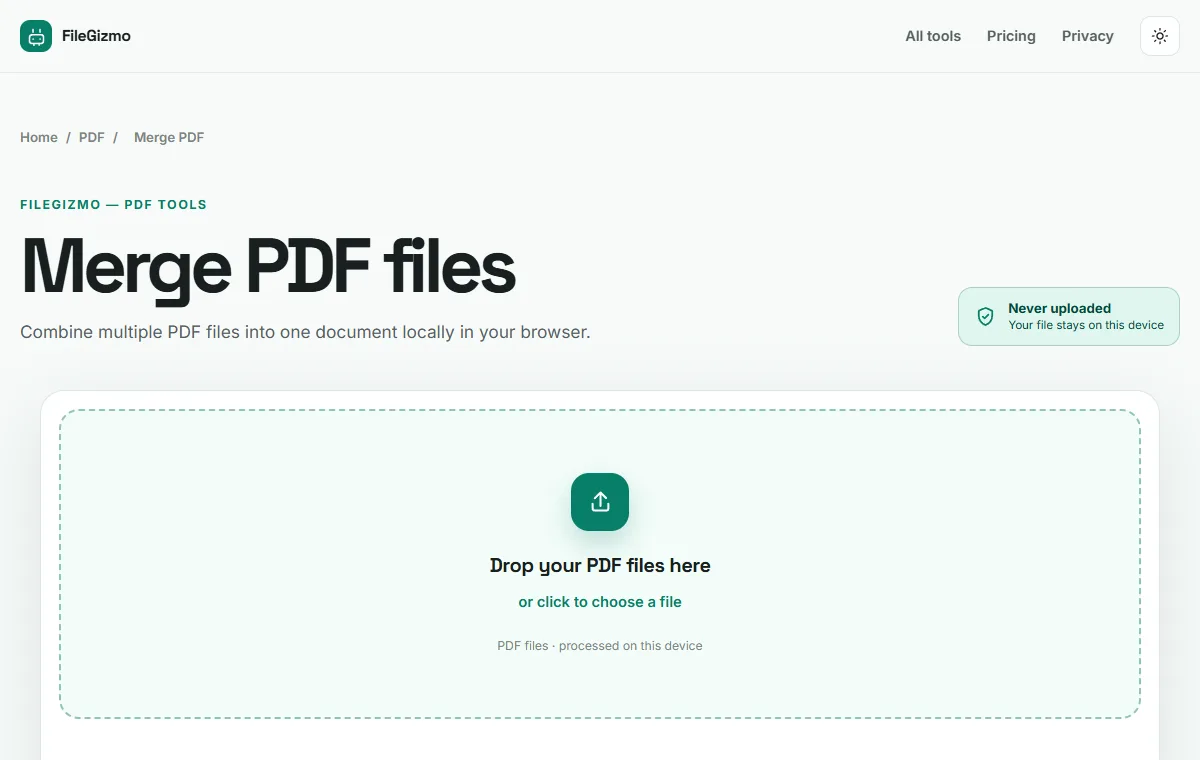
Use FileGizmo when you want a quick local workflow on a Mac, Linux computer, Chromebook, iPhone, Android device, or a Windows machine where you cannot install software. The supported tool loads in your browser and processes the selected file on the device. There is no FileGizmo conversion server and no account requirement.
iLovePDF is still a reasonable choice for ordinary documents when you accept server processing. Its strengths include a mature interface, broad format support, cloud imports, mobile and desktop products, business controls, and documented security practices. The privacy difference is not that iLovePDF has no protections. The difference is that its online workflow receives the file before deleting it later.
Step-by-step: choose the right alternative
- Decide whether the file may leave the device. Follow your employer, client, school, regulator, or records policy. A bank statement, identity document, medical record, unpublished contract, or credential usually deserves a stricter boundary than a public brochure.
- Choose local desktop or local browser processing. Pick PDF24 Creator on Windows when you need its deeper PDF feature set. Pick FileGizmo when cross-platform access and no installation matter more.
- Match the tool to the actual job. Merge, split, compress, sign, OCR, encrypt, and edit are different operations. A product can be excellent at one and limited at another.
- Keep the original. Save the result under a new filename, then open every page and verify text, images, links, form values, signatures, and page order.
- Test the boundary yourself. Open the browser Network panel before processing a harmless sample. A local file tool should not post the file to a processing endpoint.
For FileGizmo, start with Merge PDF, Compress PDF, or OCR PDF. Read the private PDF merge guide, the online converter safety test, and the free PDF editing guide before handling a sensitive document.
The privacy and price comparison
The table records claims checked on 24 July 2026. A vendor page may change after that date, so open the linked primary source before relying on a limit or policy.
| Option | Where the file is processed | Free boundary | Best fit | Honest limitation |
|---|---|---|---|---|
| FileGizmo | Supported tasks run in your browser on the device | No FileGizmo task counter, account wall, or watermark | Cross-platform local work without installation | Browser memory and the shipped tool set are practical limits |
| PDF24 Creator | Offline on the Windows PC | Official page says free without restrictions | Deep local PDF work on Windows | No current Mac or Linux desktop version |
| Sejda Desktop | Locally on Mac, Windows, or Linux | Three tasks per day, up to 50 MB and 200 pages for most free jobs | Desktop editing across three operating systems | Free edition has daily and document limits |
| iLovePDF online | iLovePDF servers | Basic plan has essential tools and limited processing | Polished cloud workflow and broad conversions | The online file crosses the device boundary |
| PDF24 online | PDF24 servers | Official page says free without artificial limits, supported by ads | Broad browser support when upload is acceptable | This is server processing, unlike PDF24 Creator |
The detail most alternative lists skip
“Encrypted and deleted” is not the same promise as “never received.” iLovePDF states that online uploads use encrypted transport, that it does not analyze file contents beyond providing the service, and that ordinary processed files are deleted within two hours. It also documents an ISO 27001 certification and a manual delete control. Those are meaningful strengths for a server product.
The remaining question is whether your policy permits the upload in the first place. Later deletion does not undo disclosure to a processor, and it may not satisfy a rule that confidential material must stay on an approved device. Local processing avoids that particular transfer. It does not protect a compromised browser, malicious extension, infected computer, careless recipient, or unsafe destination folder.
PDF24 needs a similarly precise distinction. PDF24 Creator is local and offline. PDF24 Online Tools use PDF24 servers. Calling all of PDF24 “no upload” would be inaccurate. Windows users can select Creator for the local boundary. People on other systems must either choose another local tool or accept the online service.
Where iLovePDF still wins
iLovePDF has years of product maturity, a familiar interface, Google Drive and Dropbox paths, regional processing options for paid users, business plans, mobile applications, and conversions that are difficult to reproduce consistently inside every browser. Its Premium plan also advertises unlimited document processing and AI credits.
FileGizmo is deliberately narrower. It does not offer cloud storage imports, team administration, or a promise to rewrite arbitrary existing PDF text. Local OCR can be slower on a low-powered phone because the device does the work. For unsupported or regulated jobs, use the original source application or the approved professional system.
A practical recommendation
Choose PDF24 Creator for the broadest free offline PDF toolbox on Windows. Choose FileGizmo for a no-install, cross-platform local route to the supported tasks. Consider Sejda Desktop when direct PDF editing matters and its free limits or paid plan fit your workload. Use iLovePDF when its broader server workflow is worth the transfer and the document is allowed to be processed that way.
The best alternative is the one whose file boundary, feature set, and verification steps fit the document you actually have. No single product wins every row, and a responsible comparison should say so.
Try the local route
The file stays on your device.
Good to know
Frequently asked questions
Does iLovePDF upload PDF files?
Yes for its online processing workflow. iLovePDF's current terms and security pages say uploaded files are processed on its servers, encrypted during transfer, and normally deleted within two hours.
What is the best offline alternative to iLovePDF?
PDF24 Creator is a strong choice on Windows. Its official page says it works offline, keeps files on the PC, is free without restrictions, and includes a broad set of PDF functions.
Can I use a no-upload PDF tool on Mac, Linux, iPhone, or Android?
FileGizmo runs supported workflows locally in a modern browser across those platforms. Sejda Desktop is another local option for Mac, Windows, and Linux, although its free edition has daily and document limits.
Is local processing always better than server processing?
No. Local processing gives you a tighter file boundary, but device memory and browser support become practical limits. A mature server product can offer broader conversion support, cloud imports, team controls, and less work for a low-powered device.
Primary references
Vendor offers and policies change. These links control when they conflict with this review.