Primary sources checked 24 July 2026
A Sejda alternative with no daily task limit
Compare Sejda Web, Sejda Desktop, and FileGizmo on free task limits, PDF editing depth, uploads, local processing, pricing, and practical tradeoffs.
Reviewed and updated
The short answer, with the important limitation
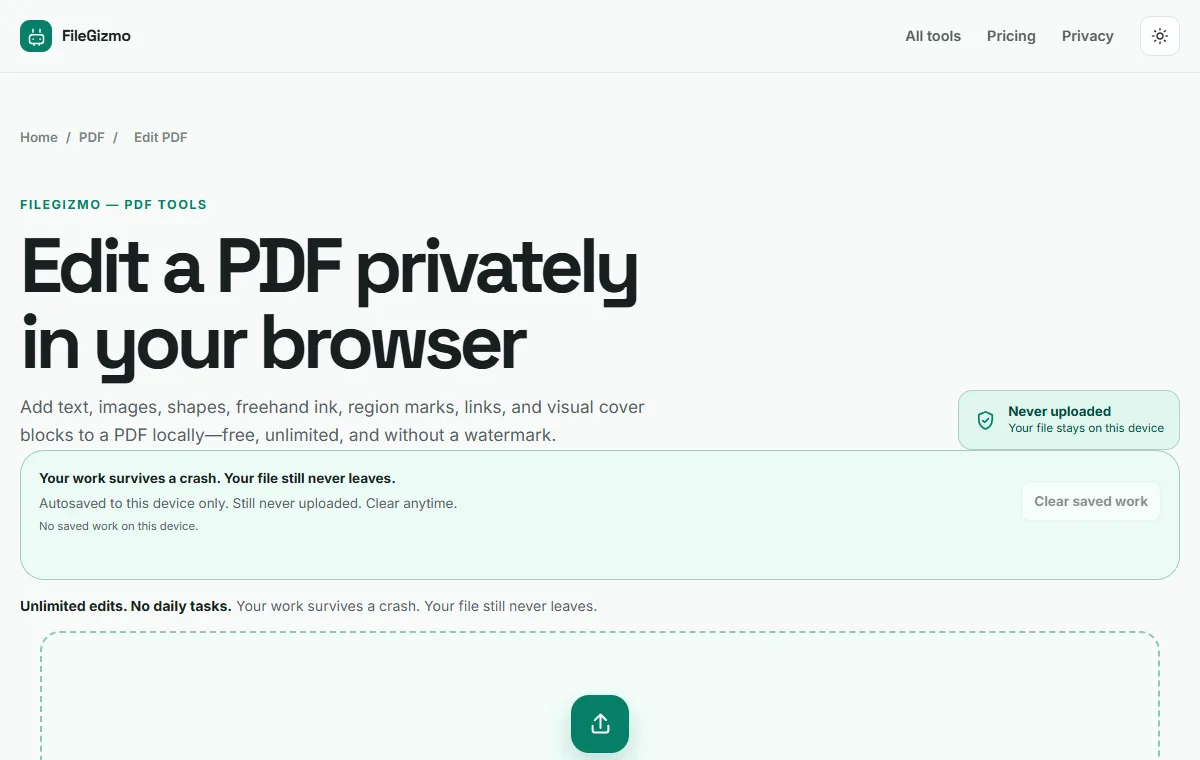
Use FileGizmo when you need repeated supported PDF jobs without a task counter. Its editor, compressor, merger, page organizer, signer, form filler, redaction tool, and other utilities run in the browser. There is no account, hourly allowance, daily allowance, or paid download step. The selected file stays on the device.
Use Sejda when editing depth matters more than an unlimited free allowance. Sejda’s online editor can modify existing PDF text, find and replace text, build form fields, add links, and apply a wider set of document operations. FileGizmo can place new text and visual elements, but it does not rewrite arbitrary existing text. That distinction rules out FileGizmo for some real editing jobs.
Sejda Desktop is also a credible local option. It processes files on the computer rather than uploading them, includes the broad Sejda toolset, and offers paid plans for heavier use. Its free tier still publishes a limit of three tasks per day.
Check the job before choosing the product
Follow this quick test with a copy of a non-sensitive document:
- Name the exact operation. Adding a signature is different from correcting a sentence already printed on page six.
- Record the document size. Count pages and check megabytes before opening a service with page or file limits.
- Check whether uploads are permitted. A deletion policy can be appropriate for ordinary files, but regulated or client-confidential work may prohibit the initial transfer.
- Run one representative task. Confirm that fonts, links, form fields, layers, and page geometry survive the exported result.
- Open the download again. Search its text, inspect the changed page at high zoom, and confirm the filename before replacing an original.
- Count the remaining work. A three-task allowance may be enough for an occasional repair and frustrating for a folder of routine documents.
For a local test, open the free PDF editor. If the job only needs a smaller file or combined pages, use Compress PDF or Merge PDF directly.
Limits and cost checked on 24 July 2026
The figures below come from the official product pages linked under Sources. Sejda can change regional pricing, allowances, or features, so verify the checkout page before paying.
| Product | Published free task boundary | Document boundary | Where processing happens | Best fit |
|---|---|---|---|---|
| FileGizmo | No hourly or daily task counter | Tool-specific browser and device constraints | In the browser on the device | Repeated supported jobs, private files, no account |
| Sejda Web PDF Editor | 3 tasks per hour | 200 pages or 50 MB | Uploaded to Sejda | Direct text edits and a broader online editor |
| Sejda Desktop free tier | 3 tasks per day | 200 pages or 50 MB | Locally on the computer | Occasional advanced work without an upload |
| Sejda Desktop + Web annual plan | Paid access, currently listed at $63 per user per year | Paid-plan limits apply | Desktop local or web service | Regular use across both Sejda products |
| Sejda Web Week Pass | Paid access, currently listed at $7.95 | Paid-plan limits apply | Uploaded to Sejda | A short project needing Sejda’s full web toolkit |
The online allowance is not always a daily limit. Sejda’s PDF Editor publishes three tasks per hour, while Sejda Desktop publishes three tasks per day. Other Sejda tools can have different size boundaries. For example, its online compressor currently lists 200 pages or 100 MB and three tasks per hour.
FileGizmo’s lack of a counter does not make device capacity unlimited. A large PDF can consume substantial memory, and a low-memory phone may reload a heavy editor. The practical limit depends on the browser, device, document complexity, and selected operation.
Where Sejda is clearly stronger
Sejda’s biggest advantage is direct existing-text editing. Correcting a typo inside a paragraph is not the same as covering the old sentence and placing new text above it. When the underlying text must remain editable and searchable, Sejda offers the more capable workflow.
Its editor also supports find and replace, links, annotations, images, shapes, signatures, and form fields. The wider suite includes OCR, deskewing, header and footer work, Bates numbering, grayscale conversion, and other specialist PDF operations. A professional who needs several of those features may get more value from one consistent product than from many narrower tools.
Sejda Desktop deserves separate credit. It keeps processing local, works without relying on the browser for every operation, and gives paying customers the fuller Sejda experience. That is a better match than FileGizmo when direct text rewriting or a specialist desktop workflow is required.
Where FileGizmo is stronger
FileGizmo’s advantage is a simple boundary: supported file tools run locally and do not count tasks. You can merge several PDFs, compress the result, add a signature, and organize its pages without consuming an hourly or daily allowance. There is no account wall and no server waiting to return the processed file.
That workflow is useful for confidential documents, unreliable connections, and repetitive jobs. The first visit still needs a network connection to load the site, and some large engines must be cached before offline use. After a compatible tool is cached, processing is performed by the browser.
The editor includes autosave on the device, undo and redo, zoom, page thumbnails, keyboard support, mobile controls, and export validation. Its scope is deliberately narrower than Sejda’s. It adds text, images, shapes, signatures, and other visual changes rather than promising a complete rewrite of every PDF object.
Read how to edit a PDF without Adobe, how to fill a PDF form on a phone, and how to redact a PDF properly before handling an important document.
Privacy is not one Sejda-wide answer
Sejda Web and Sejda Desktop have different transfer boundaries. The web service receives the file. Its editor says uploaded files are encrypted and automatically deleted after two hours, and the privacy policy says files are stored only for processing and download. Those are useful server controls.
Sejda Desktop processes locally, so it is the relevant Sejda choice when an upload is prohibited. FileGizmo also processes locally, but inside the browser. Choose between them based on required capability, installation policy, device resources, and task volume.
Never treat a local-processing label as permission to ignore workplace rules. Keep an original, use a copy for edits, and verify the exported document before distribution.
Recommendation by job
Choose Sejda Web for a quick advanced edit when uploading is acceptable and the current allowance covers the task. Choose Sejda Desktop for direct text editing, OCR, forms, or specialist operations that must stay local. Paying can be reasonable when its broader toolkit saves recurring manual work.
Choose FileGizmo for the PDF operations it actually supports when you want no task counter, no account, and no upload. It is a strong alternative for repeated browser-local jobs, not a claim that every Sejda function has been duplicated.
Try the local route
The file stays on your device.
Good to know
Frequently asked questions
Is there a free Sejda alternative with no daily task limit?
FileGizmo has no hourly or daily task counter for its supported browser tools. It processes files locally, but it is not a full replacement for every Sejda feature and cannot rewrite arbitrary existing PDF text.
Does Sejda have a daily limit?
Sejda Desktop publishes a free allowance of three tasks per day. Sejda Web applies tool-specific limits; its PDF Editor currently allows three tasks per hour and documents up to 200 pages or 50 MB.
Does Sejda upload PDF files?
Sejda Web uploads files to its service for processing and says they are encrypted and automatically deleted after two hours. Sejda Desktop processes files locally. FileGizmo's file tools also process locally in the browser.
Can FileGizmo edit existing text like Sejda?
No. FileGizmo can add text, images, signatures, shapes, redactions, and other overlays, but it does not claim to rewrite arbitrary text already embedded in a PDF. Sejda is the better fit for that job.
Primary references
Vendor offers and policies change. These links control when they conflict with this review.